6. Smart Basketball Scoreboard
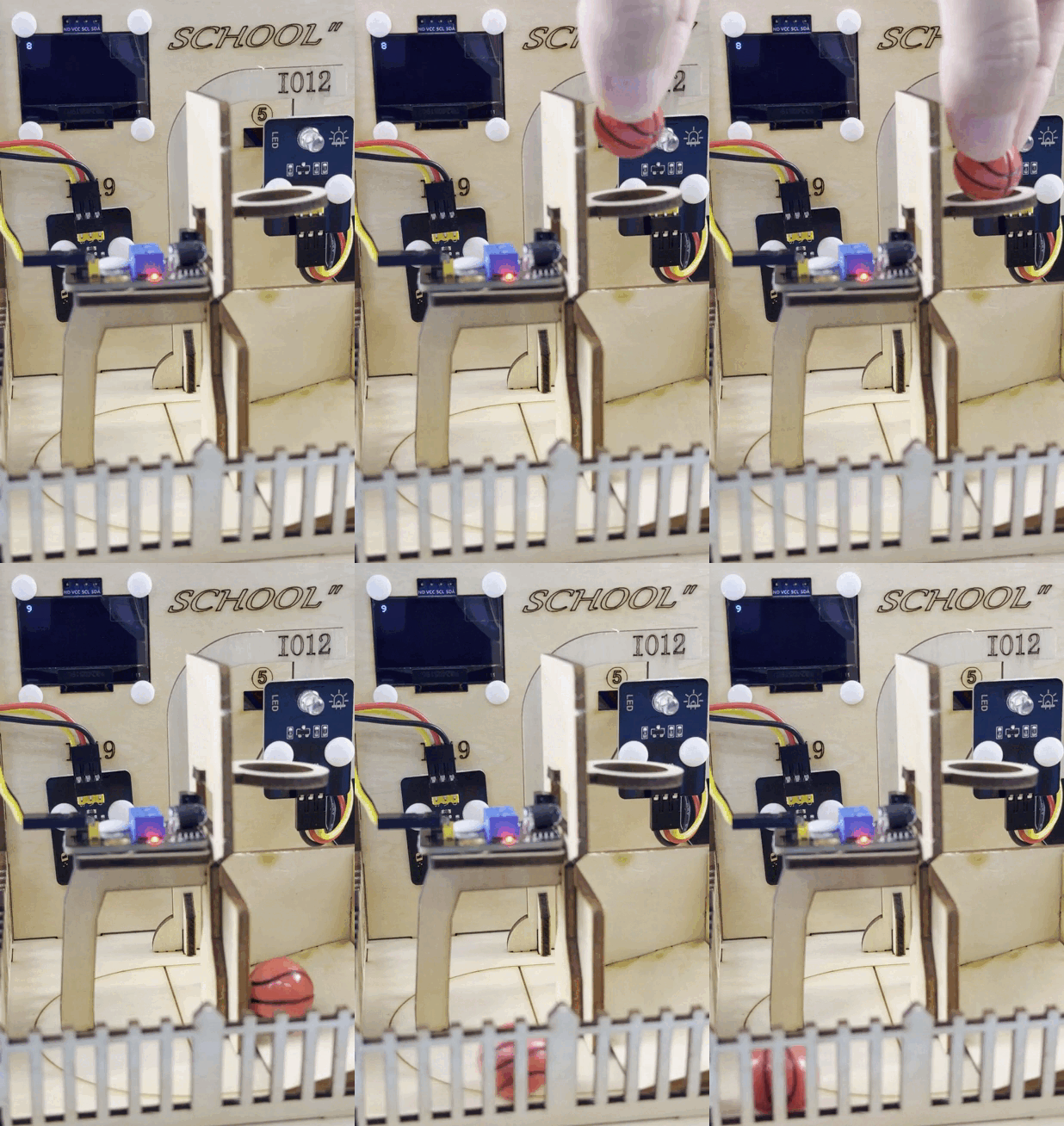
Let’s make a basketball scoreboard with infrared obstacle avoidance sensor and OLED. It will accurately detect goals and display the score in real time. What a perfect combination of technology and sports!
6.1 Infrared Obstacle Avoidance Sensor
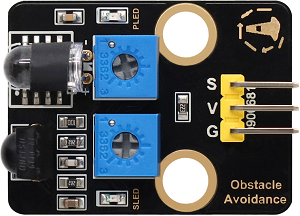
This infrared obstacle avoidance sensor is a detection device based on infrared principles, which is capable of perceiving the distance of obstacles ahead in real time. It is widely used in robots, smart cars and automatic obstacle avoidance systems.
Parameters
Operating voltage: DC 5V
Current: 50 mA
Maximum power: 0.3W
Operating temperature: -10°C ~ +50°C
Output signal: Digital signal
Sensing distance: 2 ~ 40 cm
Dimensions: 32 x 23 x 12mm
Positioning hole size: Diameter of 4.8mm
Interface: 3-pin curved pin interface spacing 2.54mm
Principle
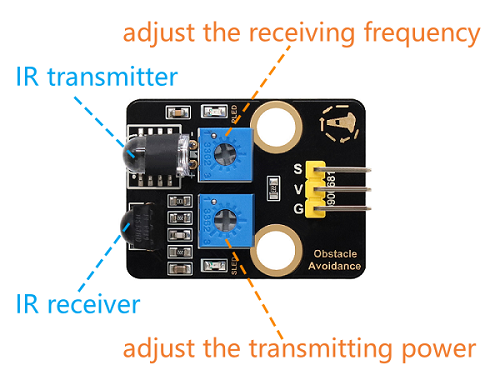
Working principle:
Emit infrared light:
An infrared emitter emits a beam of infrared light.
Receive reflected light:
If there is an obstacle ahead, the infrared light will be reflected back and received by the infrared receiver.
Signal processing:
The circuit inside the sensor determines the distance of the obstacle based on the intensity of the reflected light received.
The output signal is a digital signal (high or low level).
Infrared obstacle avoidance sensor is greatly disturbed by ambient light and have a relatively short detection distance (usually 2cm ~ 30cm).
调节传感器灵敏度:
The potentiometer on the module can be used to change its sensitivity and detection distance. Here are the adjustment steps and precautions.
Before adjusting, place the ball collection box under the basket first.

First, adjust the two potentiometers to the middle position (default state).
Adjust the transmission power: Turn the potentiometer clockwise to the end, and then slowly turn it counter-clockwise just till the SLED is going to be on (it is off finally).

Set the receiving frequency: Similarly, turn the potentiometer clockwise to the end, and then slowly turn it counter-clockwise just till the SLED is going to be on (it is still off finally). At this time the detection distance is the farthest.

After that, we can put it into use. Test it by your hand and you can see the SLED lights on.

When adjusting, keep the front of the sensor probe away from obstacles or no obstacles blocking it, so that you can adjust the detection distance to the maximum.
Test Code
Code Explanation
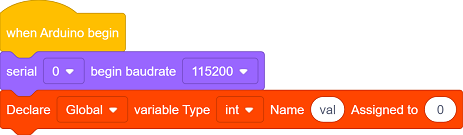
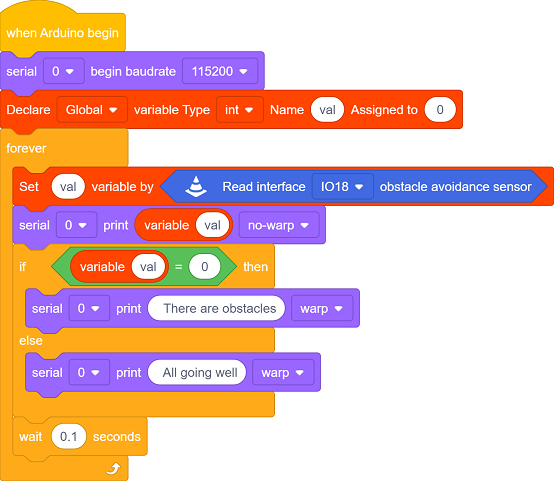
Initialize the serial port and define a variable
valto record the output signals of the obstacle avoidance sensor.
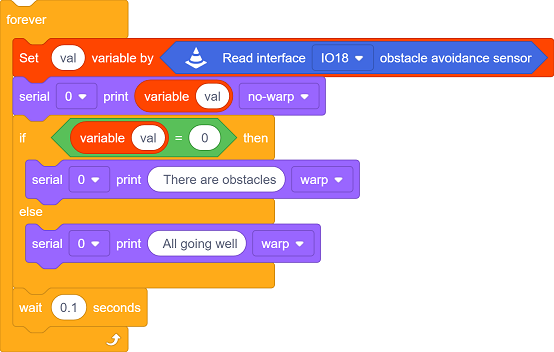
Read the output signal of the infrared obstacle avoidance sensor:
0: An obstacle is detected.1: No obstacle is detected.
Determine whether there are obstacles based on the signal:
If an obstacle is detected, output
There are obstacles.If no obstacle is detected, output
All going well.
The detection results are refreshed every 0.1 seconds.
Test Result
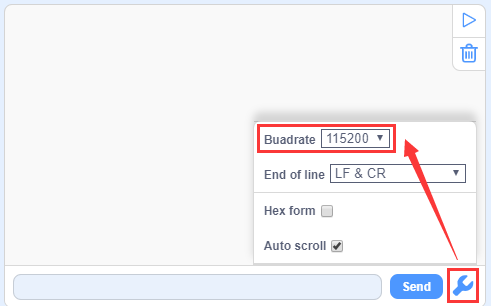
After uploading the code, click  to set the baud rate to 115200.
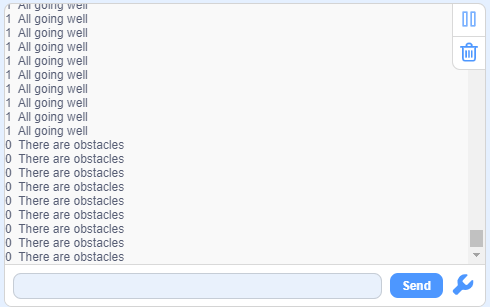
If no obstacle is detected, output
1andAll going well.If an obstacle is detected, output
0andThere are obstacles.
6.2 Smart Basketball Scoreboard
In the last experiment, we have already learned the basic principles and usage methods of infrared obstacle avoidance sensor and OLED. Now, let’s make a basketball scoreboard! It can accurately detect goals and display the score in real time, which not only enhances the game experience but also is full of a sense of technology.
Next, we will connect hardware, write code and debug, and ultimately create a basketball scoreboard. Now let’s embark on this journey full of creativity and challenges together!
Code Flow
        graph TD
    A([START]) --> B[Initialize the OLED and serial port]
    B --> C[Clear the display]
    C --> D[Set font parameters]
    D --> E[Read GPIO18 level]
    E --> F{Basketball detected?<br>GPIO18=0?}
    F -- YES --> G[Counter goal+1<br>Delay 100ms to eliminate jitter]
    G --> H[Display the current score]
    F -- NO --> H
    H --> I[Delay 250ms to refresh]
    I --> C
Test Code
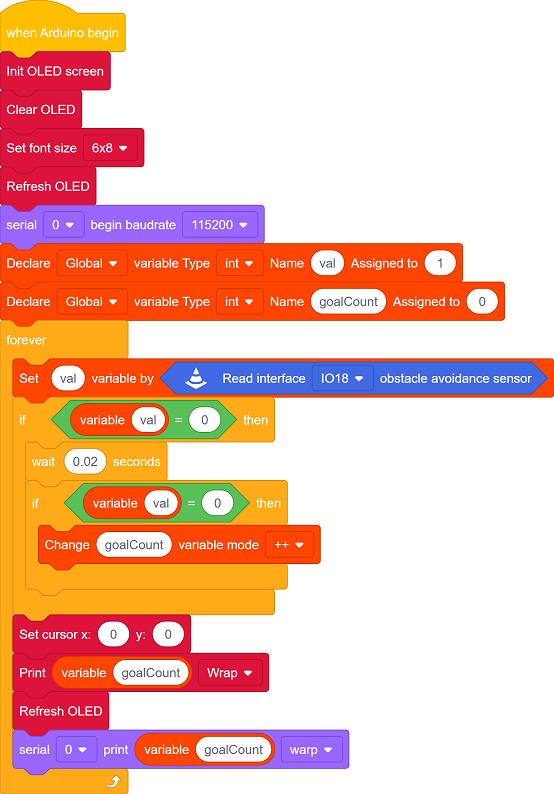
Code Explanation
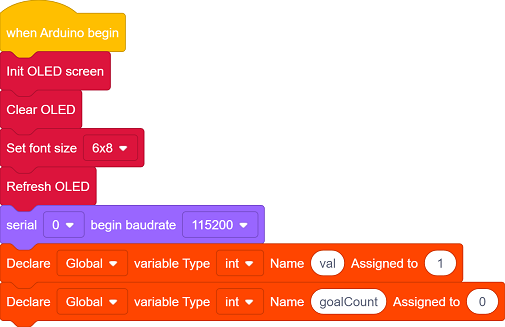
Initialize OLED, clear the screen, define the font size, and refresh the display
Initialize the serial port.
Define a variable
valto record the output signals of the obstacle avoidance sensor.Define a variable
goalCountto record the values.
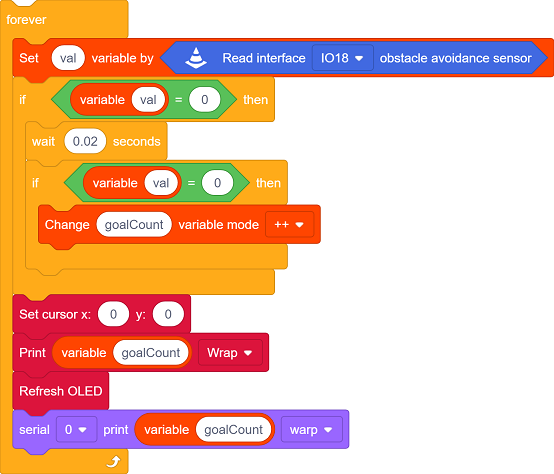
When the sensor detects an object, it generates a falling edge signal (level 1→0).
Eliminate the jitters through time difference (20ms interval):
If the interval between two triggers is > 20ms → it is valid, and
goalCountadds 1.Otherwise, it is regarded as jitter noise and this trigger will be ignored
Reveal the value of
goalCounton the OLED.Display the value of
goalCounton the serial monitor.
Test Result
After uploading the code, we throw the basketball into the basket. When the goal is scored:
Add 1 to the score.
The OLED displays the current score in real time.
ATTENTION: Infrared obstacle avoidance sensor is sensitive to ambient light. Please use them in an environment with stable light.